May 15, 2013

New Google+ Photos Easier On The Eyes

As I'm sure most people who read The Daily Google know, today was the Google I/0 Developer Conference. Since I spend a great deal of time working on photos, I was most interested to see what they were going to do with that.

Google is stressing four new features of Google+ Photos- storage, highlights, auto enhancing, and photo creation.

Before you could choose to have photos backed up in full resolution, so long as it was under 5 GB, but soon Google+ Photos, and Gmail, Google Drive will share 15 GB- so if you want to use most that for photos you can.

Google+ Photos will now create highlights. Google picks out the photos that they think will be most interesting to your viewers based on things such as faces present, famous landmarks, quality of photo, family members present, ect. This allows people to see the most interesting and best photos that you've taken recently without having to wade through hundreds of other images. (Though you can see the others by clicking on "more.")

Normally I am wary of auto enhancing, so I wasn't too excited about that news. Auto enhancing (in my experience) just makes the photo look funny. Google+ Photo looks at your photo and improves the contrast, softens faces, brightens faces, eliminates red eye, adds more texture to scenery such as clouds, ect. It actually looks pretty good! It's also easy to see the difference between the new photo and the old photo- hover your mouse above the photo and you'll see "enhanced." Click on "enhanced" and hold down and you can see the original. Let go and you'll be back on the enhanced one.
Before
After
An interesting new feature on Google+ Photos is the photo creation feature. If you have a lot of photos taken in a row, Google will create a GIF for you comprised of these photos! You can create panoramas from the photos you took close together. If you took several photos of people in a group, but everyone smiled at a different time, Google+ Photos can fix that for you and create a new photo where everyone is smiling. For everyone who has wanted an HDR camera, but not the expenses or the huge camera case you can take three photos- one with low exposure, one with medium, and one with high. Google+ Photos will merge the images to create an HDR photo. 

Of course I jumped on my laptop and raced off to test out these features. I love the new layout for the images- the grouping and highlights really makes the viewing easier and more interesting. The scrolling is so much faster and the photos load a lot more quickly before (that was driving me nuts before the update.)
Photos are easier to move around- just click on one and a list of selected photos and options pops up on top of the screen.

Easy to select and move photos.

Over-all the Google+ Photos updates are very promising. Go on and check them out for yourself!

May 12, 2013

Google Maps to get a new UI?

There are rumors that Google will be updating the desktop version of Google Maps very soon (and will probably be announced at Google I/O). Looking at the screenshots it appears to be visually similar to Google Maps on iOS, which makes me think: will Google Maps on iOS get this same look also in a few days?

I think so. Google is slowly making all of their products have the same card based UI, no matter the platform. Google Maps has no reason to be an exception.

April 21, 2013

What We Expect To See At Google I/O This Year

With Google I/O less than one month away, there's no reason not to be excited about what is to come. Last year there was no shortage of excitement- Google Now, Google Glass, Jellybean, and much more. Now the question is, will this year be just as exciting, or could it be even more? We will find out soon, but for those of you who can't wait here's a list of what's expected to be announced. Just remember that we don't actually know how much of this is true.

Android 5.0 Key Lime Pie
It's become pretty well known that the next version of Android will be called Key Lime Pie, and there's a big chance it'll be version 5.0. With Google I/O being a huge event for the company it doesn't make sense to me why they would do a minor upgrade. With this will come the new messaging service, a game center, speed enhancements, and probably more surprises for us. Maybe even split screen for multiple apps. Who knows?

Babel, the new messaging service
There has been a lot of news about Google making a new messaging service that unifies its current mess of messengers. Overtime it was confirmed that it would be named Babel, and some pictures have been leaked of it as well. Expect to see this released as a main feature of Key Lime Pie as well as apps for iOS, other Android phones, Chrome, and maybe even a desktop application. We don't know what all features to expect in this, but pictures, emoticons, and video chatting will definitely be there.

Game Center
This news is much more recent, but files were found that show a game center is in the works. Notifications, chat, and leaderboards will be part of this. iOS has something similar to this already, and knowing Google they will make sure it has something that makes it more powerful than its counterpart.

Google Now coming to desktop and iOS (maybe even older Android phones?)
Some time ago Google Now was confirmed for desktop, and a leaked video shows it is coming to iOS as well. For desktop, maybe this will launch with the new notification area for Chrome. On iOS, this will be built into the current Google Search app. Many Android users who are not running Jellybean (and therefore don't have Google Now) are upset about this....but maybe they'll bring it to all versions of Android (or at least Gingerbread and higher?).

A new Nexus tablet
Last year when the Nexus 7 was released, it became an instant hit. It only makes sense to make another one! The new Nexus 7 (or whatever it will be called) will definitely feature Key Lime Pie, have an improved processor, and a better screen. As for price, it'll probably be $200, which is the same as the current Nexus 7. What makes me wonder though is if the current Nexus 7 will still be on sale for cheaper. Usually Google stops selling a device once a newer one is released, but maybe they're going to keep this one for a little longer.

An improved Nexus 4
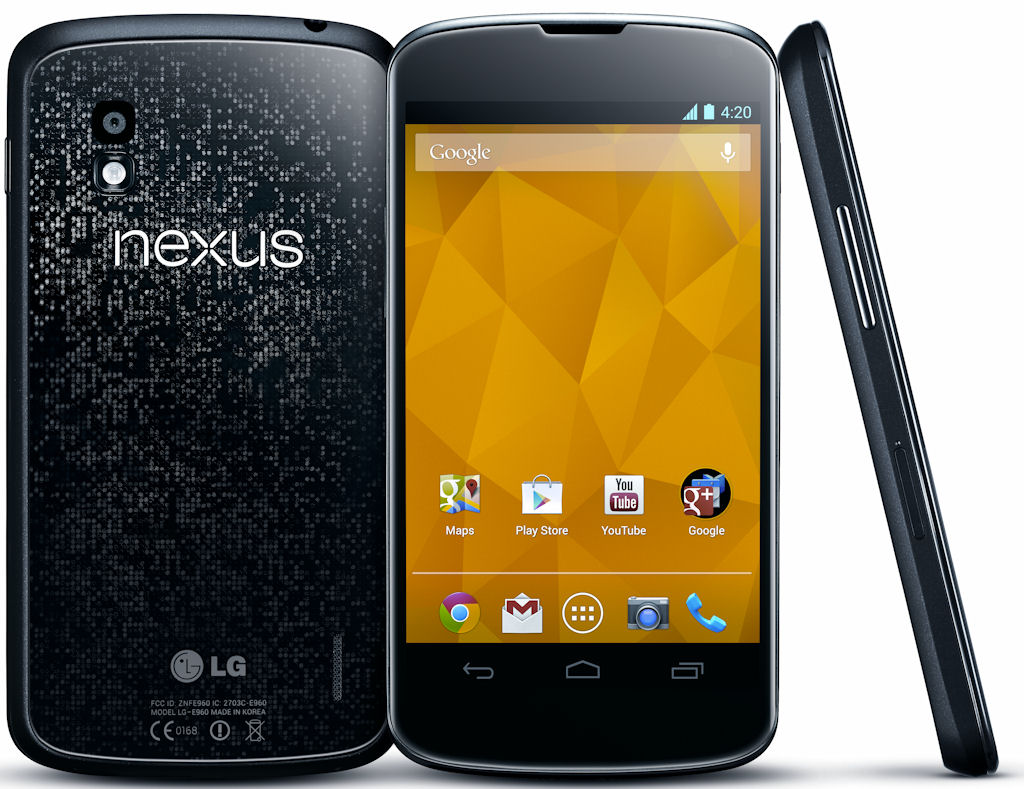
Given that the Nexus 4 will be around 6 months old at the time of Google I/O it does't make sense for Google to release a whole new phone. However, they may upgrade the storage and perhaps even enable LTE on the devices (in case you didn't know, all Nexus 4 devices have a dormant LTE chip). LTE has been one of the lacking features in the Nexus 4, and if it was enabled people would celebrate in happiness. Don't forget that months after announcing the Nexus 7 they did this same thing by upgrading the available storages and later adding ones that work on mobile networks.

Nexus Q
Remember that from last year? The social streaming device? If you don't, well it was a product announced last year at Google I/O that was "canceled" until a future time so more features could be added (it was thought to be too expensive with few features). Maybe it'll make a reappearance this year.

Google Glass Announcements
Yes Google Glass is already out in the wild, but it isn't available for public sales just yet. Maybe we will get some news on that. They did it last year. Maybe even another skydiving demo?


April 18, 2013

Blogger Gets Google+ Comments

Blogger just got some big time integration with Google+. This isn't just a small tweak to make sharing easier, this is a giant new feature that changes the way comments will be made and interacted with. You guessed it, Blogger (and hopefully more sites soon) just got a new comment system, Google+ style. 

When an article is shared on Google+, all the shares are shown as comments on the blog post. All the comments on that share are shown as well. You can choose who your comments are visible to, and even post them on Google+ as well. Because that's what these comments are. They're Google+ posts. 

When viewing other comments, it's no different than Google+. You can +1, reply, and more. Plus, you can also sort the comments and even show only ones from those in your circles.

This is the Google+ integration we've been looking for. The borders between sites are beginning to fade in the Google world, and with Google I/O less than 1 month away this can't be anything close to the end.

April 9, 2013

Google Play Gets A New Look On Android

Google announced a new version of Google Play for Android phones today that are running Android 2.2 Froyo and above. It is rolling out to everyone slowly, but in the meanwhile we can take some time to think about what this means for the future.

First things first. The new UI has a look that incorporates...cards? Yes, the cards we've been saying Google is now using for all their products. In fact, it's becoming hard not to believe that Google will make all of their products involve cards, one way or another. With bigger pictures and a very clean look, I really do hope this is what we will expect from future updates for all their products.

Another thing I realized: the colors. Google Keep, Gmail, Google+, and now Google Play all utilize the light Holo theme. Is this something we can expect more of from Key Lime Pie? I think so.

March 20, 2013

Google Keep Officially Announced

Google Keep has been floating around with leaked images, but now it is official. It can be accessed at https://drive.google.com/keep/ and is available for Android devices running Android 4.0 and above in the Google Play Store.

Google Keep lets you take notes quickly by typing it, saying it, or taking a picture. It's simple, and will be accessible through Google Drive soon.

I can't help but notice the card interface that we have been seeing more and more of with recent updates. Plus, they can be swiped away. Sound anything familiar? I think Google is finally bringing a truly consistent interface, everywhere.


March 19, 2013

Why Apple Should Never Die: An Android Fan's Perspective


Kane and Able, Scorpion and Sub-zero, Yankees and Dodgers, Yin and Yang. Some rivalries are storied throughout myth and history, with just a mention, can bring out burning passions of anyone who knows of there existence. In less then a decade, there has spawned a new rivalry, one that is so well established in our modern culture, so popular to the masses, that mostly anyone can reach into their pocket and have more then few choice words on the subject. That of course is the rivalry between Android and Apple.

Some may say "death to Apple" for trying to stifle innovation with littigation. For being so affraid of the emergent technology that Google has created, and all but swept the rug from under a market that Apple controversially created. But what if apple did indeed get run (back) into the ground, or better yet, didn't exist at all? I think, we would live in a very different world then we do today. I'll say this now: if this isn't apparent by now, I love Android. Not only for its technology but what it stands for as a whole. On the opposite side of the fence, that doesn't mean I don't love other technologies, Apple included. I am thankful for Apple and the iPhone to have came out and shook the world. Here's a few points I like to bring up as to why.

With the recent rumors surrounding the iPhone 5S, I think it's a good time for us to look back and see just how one company helped shape the ever growing technology industry as we know and love it today.

2012: Still possibly a tactile world: Can you imagine if BlackBerry was still the industry leader it was in 2008? Google knows how to follow the industry standard. Before the G1 that we all know and love today came on the market, there was the "Gphone", circulated internally through Google and to developers, as the prototype for what was going to be Google's initial outing in the smart phone arena. It was very "inspired", by BlackBerry's design frame. If Apple did not announce the iPhone when it did, Google would of come out initially with a phone that was already behind the curve, and not a stellar start to what is known now as one of the most popular brands in the world today.

Imitation is the best form of flattery: Lets face it, Apple and Google both take some liberties when it comes to their "revolutionary" new feature sets. Early Samsung being the bigest offender (and target) to strait copy and paste design. Their bright colorful "chiclet" icons screamed "me too" design 101 for a long time until they started, recently, to get their own footing, and S-Voice... please. Even stock Android finally getting a native screen capture was 3 operating systems updates late before people sighed in relief for something that should have become standard awhile ago. Apple too with its "magical" notification bar can't hide the fact that they still have the worst notification system in the business. Recently (like the past year and a half), they have been stuck playing catch-up, and I'm sure iOS 7 will have some eerily similar features that will have Android fanboy's crying foul.

The Playstation/X-Box effect: As I like to call any competing company that constantly gets better as their rivals also progress. If you would have asked me 10 years ago if gameplay video-game graphics would look like CG of that era one day, I would laugh. If you asked me 4 years ago that those same games we talked about before would become available for my phone some day too, it would probably illicit the same exact response. I'm positive that technology would not be available as fast as it was without the competitive nature of two mortal enemies.

Forward thinking: Pop quiz: name one of coolest features on the Android platform that can't seem to go mainstream but would instantly the second Apple adds it to the next version of iOS? You guessed it: NFC! Let's face the sad truth: sometimes Android is too ahead of its time. NFC technology isn't new, and it will literally change how use phones as a society. It is, without a shadow of a doubt, a gamechanger; but until it gets that apple stamp of approval that it so desperately needs, it's going to be as useful as, well... Passbook (OK, a little more useful then that).

We can talk totalitarian ideologies vs. a free, open operating system (and its pitfalls) all day, and trust me, I have. Regardless of which side you choose, the only benefit I can see in the end, is the consumer. As stated before, I love all technologies, from my mac book pro (where I'm currently typing this longer-than-expected article), to my 5 Android phones sitting on the table next to me. If we appreciate the need for both our loved and loathed tech companies to co-exist, then maybe we could finally achieve world peace, at least in the tech world.

Google Reader Closes It's Doors Forever: History Explained


It's been almost a week since Google announced the Death of Google Reader. And to say the internet has gone into a fire-storm is a understatement. Bloggers and common people alike have been scrambling to find alternatives and to also understand why.  

Google Reader was introduced in 2005 and since it's existence it's been the go to RSS reader.    Overtime the popularity of technology has grown tremendously. The caveat  to that is that Google states Reader has a "declining but loyal following." Fast forward to today: there are many choices to get your news: Twitter, G+, & Facebook to name a few. But loyalists say that Google Reader is needed. I agree with that sentiment. 

To understand Google Reader you must first understand RSS (really simple syndication).  RSS was started by Dave Winer in 1997 it was created to offer information all in one place in a timely fashion. Dave Winer has since passed control to Harvard University. Google Reader came into play by consolidating all the information in a seamless fashion, becoming the most popular RSS reader platform on the planet! Now Google sees Reader as a dead service and have announced the "death" date as July 1, 2013. Giving all users a three-month "sunset period" to find alternatives. 

There are alternatives. Feedly (which has amassed 500,000 new users since Google's annoucement), Newsblur, Feedreader, and Pulse just to name a few. Whether Google has gotten too "Big" to support RSS or it's just not that popular to support, one thing is for certain: the internet NEEDS RSS!  

March 16, 2013

Introducing Google Translate Phrasebook

Google Translate now has a feature that lets you save frequent translations, and it is being dubbed "Phrasebook." It is basically a bookmarks area for translations you will use a lot, and is very simple to use. Just click a star under a translation to add it to your Phrasebook, and open your Phrasebook by clicking on the icon above the translation box that looks like a book with a star in it. That's it. Bam. You now have a reference for phrases you translate frequently.

March 14, 2013

A Transfer Of Power Has Occurred In Android

If you didn't already know, there's a new man in charge of Android. Andy Rubin has left to work in another part of Google, and has left Sundar Pichai, that's right, the current man in charge of Chrome, in charge of Android as well. Given Chrome's success it is clear that Android is not being left in the hands of the incapable, and I personally think Android will continue to flourish. The question does arise however, what can we expect to come with this new leader?

The merging of Chrome OS and Android
This one stands out to me the most. There have been rumors and hints between a Chrome OS and Android merging. Think about the most recent changes that you have heard about to Chrome OS:

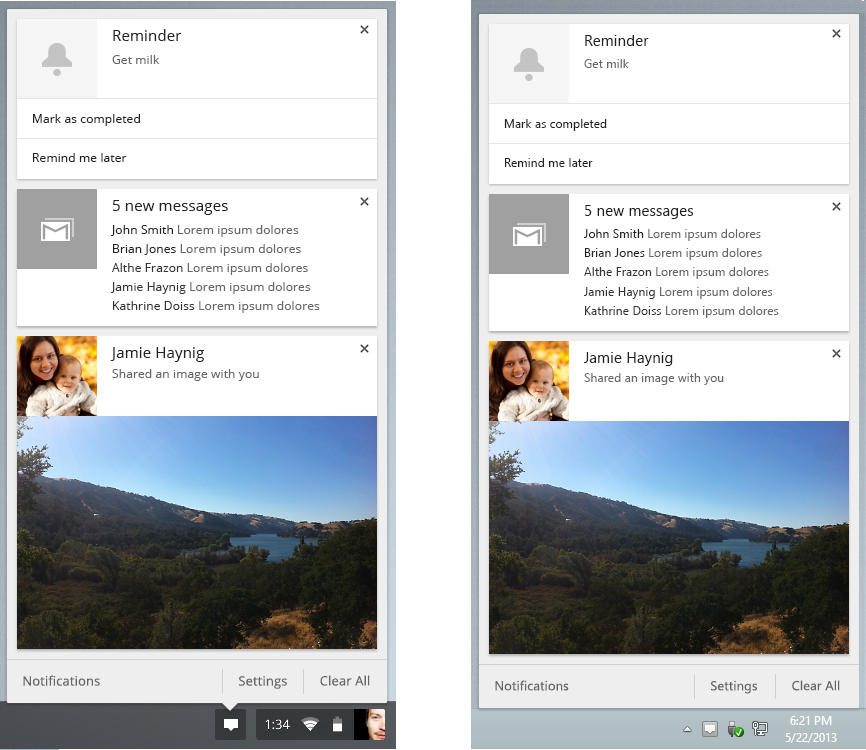
  • A notification area
  • Google Now!
  • Touch screen support (of course, that's the Chromebook Pixel being referenced)
It may not be soon, or it may even be something revealed this year at Google I/O. But for now, I really do hope this happens.


A Chrome experience on Android as powerful as that of a computer
Let's admit it, the Google Chrome app could use some major enhancements on Android. Not only in performance, but also in features. Not everything would be necessary, but it would be pretty cool to have extensions or themes for Chrome on mobile devices. The Chrome team pulled it off pretty nicely on the computer version, and it would be interesting to see them do the same for mobile.

Some changes to the user interface
It would be difficult to get ideas for Android from Chrome, but there are some things that would be neat to have in Android. Take the tabs on mobile versions of Chrome for example. You can swipe in between them. Now imagine apps being treated like this, where you could swipe in between apps as simply as tabs. As I said earlier, this one would be more difficult but definitely not impossible.

What can Android gain?
I'm going to switch things up a little bit now. Instead of thinking about Android getting a "Chrome-skilled" leader, I'm going to say that Chrome now has an "Android-skilled" leader. I think this is more important. Rather than what can he bring to Android, the question is now what can he bring to Chrome? So why is this more important in my opinion? It's simple. When I say Chrome I'm talking about the browser, not the OS. The browser is accessible to all, whereas the newest version of Android...well...let's not go there (but it is turning around slowly!).

So what can be brought to Chrome from Android? I think there's a lot. Google Now and a notification area are already expected, and if these are as powerful as their Android counter parts that would be truly incredible. Maybe a built in speech to text system that can be used in any text field (this could be released very soon, there is already built in speech to text). 

Forget the Android Apps section of the Google Play Store. I want Google Games
This one is one is my favorite of them all. Imagine Android apps running on Chrome. That would just be amazing.

Will changes come? Yes
We can't really predict what will come to Chromedroid over the next few years, but I am confident it will continue to improve at a rapid pace. These are just a few of the ideas I hope to see implemented. Maybe at Google I/O they have a nice surprise for us? Hopefully.

March 11, 2013

Is The Next Version Of Android Going To Have A New UI For Google Apps?

Today Gmail Offline (for Google Chrome) and Gmail on mobile browsers got a UI update- one that very closely matches that on iOS. I think it looks nice and polished, but I can't help think about what this means for Android. We know the Google apps for Android vs iOS devices have very different designs, and we (well at least I did) thought that was because each operating system had it's own qualities and design specifications an app should follow.

But if that was true, why would non-iOS devices begin to get that UI? I think there's a simple explanation for it:

Google is getting ready for a consistent UI, no matter which device you are on.

With Google I/O just over 2 months away, and a new version of Android expected, is it not possible that we will see a brand new design? After all, the design for Google Applications haven't changed for a while on Android- and you know what that means.

March 6, 2013

Google+ Profiles Get A New Look

If you haven't been on a profile in a while on Google+, now would be a good time to check one out. There are some major changes being rolled out today, including larger cover photos, a new layout, and new tabs. Personally I think the cover photo can be too big, but I also do think it really adds a wow factor to individual profiles.

However, I feel like I'm starting to see a trend with these updates. This update changes the interface in some significant ways, but we've seen this before. With Google Now. Notice how the individual tabs seem to have content split into it's own "cards" (the "About" tab is the most similar). Could this be a step towards a "card" user interface that we will see more of in Google, and perhaps Google Now for desktop will fit right in? I think it will. But as always, only time will tell.

February 27, 2013

What Exactly Is Google+ Sign-In?

If you've heard about Google+ Sign-In recently and you aren't exactly sure what it does, then you've come to the right place. Google+ Sign-In is a new feature of the Google+ platform that extends Google to other web services. What does this mean? Well, now you can sign into other websites with you Google+ account. There's no need to transfer information to the new account because everything is already on your Google+ account, and your data stays safe. All you have to do is accept the permissions that are presented to you.

So what does doing this allow?

For the first thing, Google makes the experience more constant by prompting you to download the mobile app to your phone for the website you are now signed into.


After this, sharing becomes simplified. You can choose circles and individuals who can see the updates from this app, and whatever you do share can be clicked on the other individual to be taken directly where you were. The updates do not go directly to the stream (unless you explicitly share it), but rather are accessible from your profile.


Google Chrome Beta Has Been Updated

Google Chrome Beta for desktop and Android has been updated. The main focus of these updates is definitely the desktop version. The spell checker has been updated with new languages (Korean, Tamil, and Albanian) as well as refreshed dictionaries. Personal dictionaries will also be synced between devices.

On the topic of spell checking, if you haven't tried "Ask Google for suggestions" then I do recommend trying it out. By enabling this the words will be checked by the same servers that do corrections on Google Searches for grammar, homonym, and contextual errors. It really does work well in my opinion. To enable this, next time a red line appears under text right click on it as usual and click on "Ask Google for suggestions."

February 20, 2013

File Previews Now in Google Drive

Google Drive now has a new feature that lets your preview your files without actually opening them. This is done automatically when clicking on a photo, video, or PDF and can be used on Google Documents by right clicking on them and selecting "preview." Text can be copied from here and videos can be watched.

So now the universal question, what does this mean? I think this is another way Google is bringing our information to us faster than before. Maybe they are readying Google Drive for the new Chromebook that they may be working on (but that's a completely different story). As always the answer will become clearer over time, but for now we can expect more changes in the future.


The World Through Google Glass


February 10, 2013

Google Just Created An Operating System In The Cloud

Many have reported on the recent update to Google Drive. Bloggers are calling it a new "App Store" within Drive and praising the added simplicity of being able to create and edit new file types courtesy of third-party app integration. In essence, any developer who makes web apps can now enable his apps to play nice with Google Drive. Once you install such a Drive-enabled app (like Ujam of Pixlr), you can create new files using that app right from Drive's "CREATE" menu. In other words, any developer can create web apps that, when installed, will be given the same treatment in Drive as Docs, Drawings, Spreadsheets, and Presentations. Any file created this way will be saved directly into Drive. To top things off, this update allows users to open files from Drive using any web app they have installed. And that's the story everybody's sticking to.

What most people have missed is that this seemingly trivial update means Google has effectively created an operating system in the cloud (and no, I'm not talking about Chrome OS, which is a standard operating system that relies heavily on cloud services). Think about it. What does an operating system do? What do Windows, Mac OS, Android, Linux, or iOS do? How do most people interact with an operating system? They put files on it. They create new ones and they view and edit existing ones. Some files open using OS-native (aka "built-in") apps, like Microsoft Word, Picture Viewer, Notepad, etc. Other files open through third party apps that the user installed himself, like Adobe Reader, Photoshop, uTorrent, and so on. People access these files through the file manager, which is the Google Drive interface. People create new files using the Start Menu or App Dock, which is Google Drive's "CREATE" menu.

That's your operating system in a nutshell. Google Drive is more than cloud storage. It is now a gateway to a world of web apps which can do almost everything desktop apps can do. Except, everything will be stored in the cloud and accessible from anywhere and on any device. This turns traditional operating systems into mere tools that let hardware interact with software so that you can get on the internet and access the files you care about. The last obstacle holding Drive back from making standard operating systems nothing more than a necessary evil is the arbitrary 5 GB storage limit. Since Google really wants you to create, store, access, and edit files of all types using Drive, they will inevitably increase that storage to at least 10 GB before the end of 2013 and steadily continue increasing it afterwards. You can take that prediction to the bank!

January 30, 2013

Google Forms (In Google Drive) Get's Updated

Google Forms (which are a part of Google Drive) has been updated today with new collaboration tools. Real time editing now works, you can have a group chat on the side, and each change is instantly saved. These features have been in the other tools of Google Drive for some time now and it is good that Google is paying attention to all of its features.

January 19, 2013

Google Images Gets A New Look

If you went on Google Images and just looked at it and nothing else, you may not notice anything. But click on an image and everything is different. It may just be in the testing phase right now since I didn't see anything official about it, but then again it may have been one of their many silent updates. Which ever one it is, it's worth checking out.

Instead of being directed to a new page with a small view of the image, the image now is shown directly in Google Images by moving the other pictures out of the way. You can also use the arrow keys to move between images. You are given the option to visit the page with the image, view the original image, and see image details.

In my opinion this method is much easier to work with and makes the process of going through the images much, much quicker. This is part of Google's effort to bring content to us even quicker than before.

Head on over to Google Images to check it out!

January 17, 2013

T-Mobile Nexus 7 Now Available

If you wanted a Nexus 7 with data connection, you previously had to use AT&T. Now you can get it on T-Mobile as well, and for a limited time you can even get $100 if you get a two year contract (until February 24). All you need to do is stick in a SIM card (which is included) and you're ready to go! Just as expected, it's available in the Google Play store for $299, and only a 32GB model is available.